
Funny Exchange Account Security Tips for Users
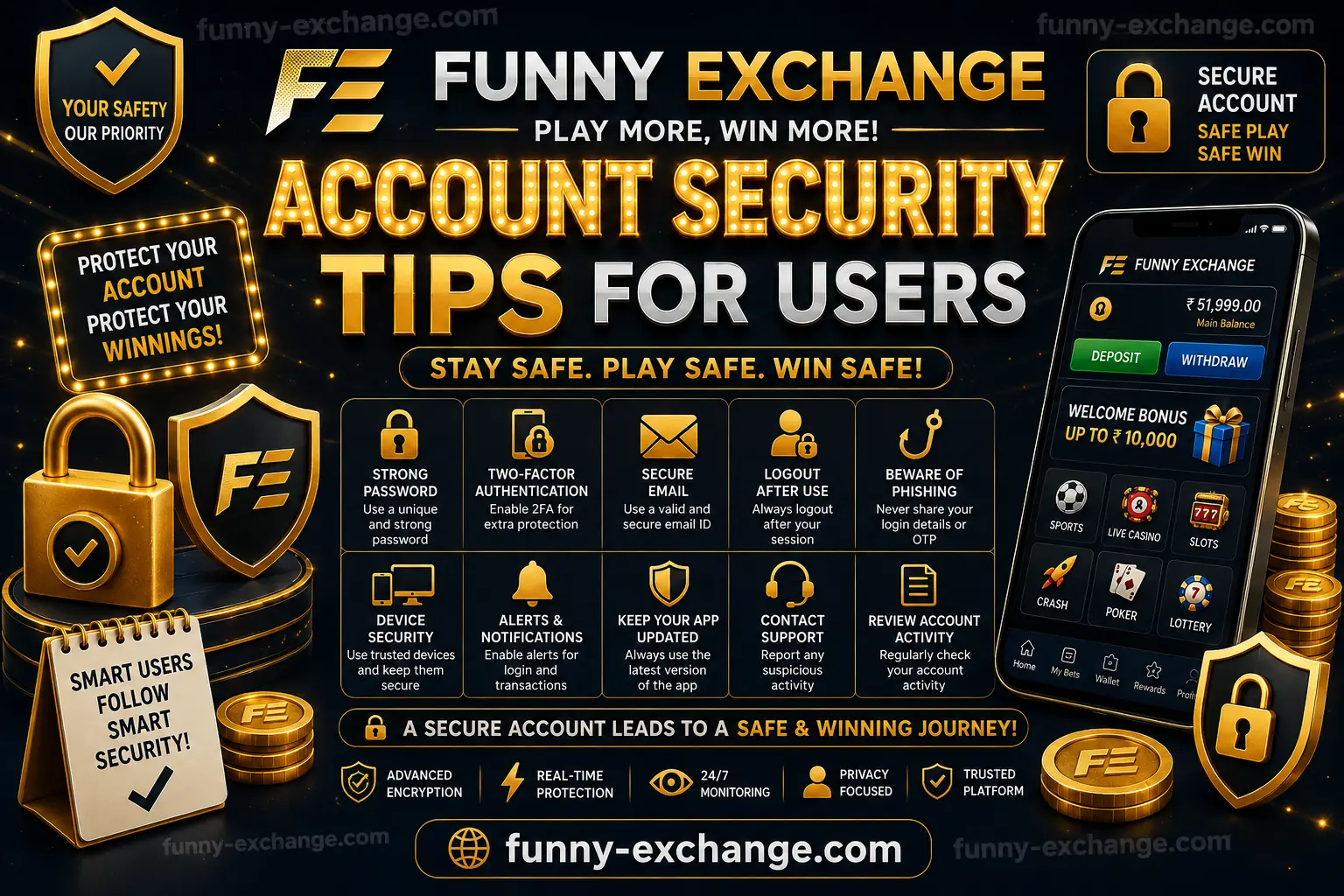
Funny Exchange Account Security Tips for Users – Complete Safety Guide
Online account security has become an important topic for every internet user. Whether you access an entertainment platform, financial service, gaming website, or exchange platform, protecting your personal information should always be a priority. Users who access Funny Exchange should understand how to protect their login credentials, devices, personal details, and account activity from unauthorized access.
This complete guide explains important Funny Exchange account security tips for users in simple and practical language. From creating a strong password to identifying suspicious links, managing OTP verification, protecting mobile devices, and reporting unusual activity, every section focuses on safer account habits.
The official Funny Exchange website emphasizes secure login practices and account protection measures such as OTP verification and security controls. Users should still take personal responsibility for protecting passwords, devices, and account information.
Why Funnyexchange Account Security Is Important
Your online account may contain important information connected to your profile, login details, transaction history, and account preferences. If another person gains unauthorized access, they may attempt to change settings, misuse available features, or access personal information.
Good security is not based on one feature alone. The strongest protection usually comes from combining multiple habits:
- Using a strong and unique password
- Keeping OTP codes private
- Accessing the official website carefully
- Avoiding suspicious links
- Protecting your smartphone and computer
- Monitoring account activity
- Logging out from shared devices
- Updating recovery information
- Contacting official support when suspicious activity occurs
Funny Exchange’s published security information describes account protection, encrypted connections, fraud prevention, and verification processes. However, users should always maintain their own security habits because password sharing, phishing, and compromised devices can create risks.
1. Always Use the Official Funny Exchange Website
One of the most important Funny Exchange account security tips is to access the platform through the correct and verified website.
Fake websites can look very similar to genuine platforms. Scammers may copy logos, colors, login pages, and layouts to convince users to enter their usernames and passwords.
Before entering your login information:
- Check the website address carefully
- Avoid clicking unknown promotional links
- Do not trust random messages claiming to offer account help
- Bookmark the official website after verifying it
- Type the website address manually when possible
- Check for browser security warnings
The official Funny Exchange login guidance also advises users to avoid unknown or third-party links and use official access methods for safer account entry.
A few seconds spent checking the website address can help prevent serious account security problems.
2. Create a Strong and Unique Password
Your password is one of the first layers of protection for your Funny Exchange account. A weak password can be easier to guess or reuse across different websites.
Avoid passwords based on:
- Your name
- Your birthday
- Your mobile number
- Simple number sequences
- Common words
- Easily available social media information
Instead, create a password that is difficult for other people to predict.
A strong password should generally include a combination of:
- Uppercase letters
- Lowercase letters
- Numbers
- Symbols
For example, instead of using something predictable, create a longer password or passphrase that is unique to the account.
The most important rule is simple: do not reuse the same password across multiple important websites.
If one website experiences a security problem, a reused password could potentially expose accounts on other platforms.
3. Never Share Your Password with Anyone
A password should remain private.
Do not share your Funny Exchange password with:
- Friends
- Family members
- Agents claiming they need login access
- Unknown support callers
- People contacting you through social media
- Random messaging accounts
Legitimate account support should not require you to publicly reveal your password. Be especially careful when someone creates urgency by saying your account will be blocked unless you provide login details immediately.
If someone asks for your password, treat the request as suspicious until you independently verify the communication through official channels.
Published Funny Exchange-related security guidance also stresses keeping login credentials confidential and avoiding password sharing.
4. Protect Your OTP and Verification Codes Funnyexchange
One-Time Passwords, commonly called OTPs, are designed to add another verification layer during sensitive account actions.
Never share your OTP with another person.
This includes people claiming to be:
- Customer support representatives
- Bank employees
- Account managers
- Technical support teams
- Verification agents
A common scam involves convincing users that they need to share an OTP to verify or secure their account. In reality, an OTP may authorize an important action.
Always read verification messages carefully before entering or sharing a code.
A safe rule is:
Your password, OTP, and recovery codes should remain private.
Funny Exchange’s published account and security information references OTP and verification controls as part of account protection processes.
5. Enable Available Security Features
If additional account security features are available, consider enabling them.
Depending on the platform and device, these may include:
- Two-factor authentication
- OTP verification
- Email verification
- Mobile verification
- Biometric login
- Login alerts
- Security notifications
Two-factor authentication can provide an additional layer beyond a standard password.
For example, even if someone discovers a password, an additional verification step may help prevent unauthorized access.
However, security tools work best when your registered email address and mobile number are also protected.
Funny Exchange’s published materials mention additional authentication and biometric security options where available.
6. Keep Your Registered Mobile Number Secure
Many users rely on their mobile number for OTP verification and account recovery. This means mobile security is directly connected to account security.
Protect your phone by:
- Using a strong screen lock
- Avoiding easy-to-guess PINs
- Enabling fingerprint or face authentication where appropriate
- Keeping your operating system updated
- Avoiding suspicious applications
- Reviewing app permissions
- Reporting a lost SIM or phone quickly
If your registered phone number becomes inaccessible, update your account information through official procedures.
Never allow another person to control your registered SIM card or verification messages.
7. Secure Your Email Account
Your email address may be connected to:
- Account recovery
- Password reset messages
- Security alerts
- Verification links
- Important account notifications
If someone gains access to your email, they may attempt to reset passwords on other services.
For better protection:
- Use a unique email password
- Enable two-factor authentication on your email
- Review recent login activity
- Remove unknown devices
- Keep recovery information updated
- Never share email verification codes
Think of your email account as an important security key for your digital identity.
8. Avoid Phishing Links and Fake Messages
Phishing is a common online scam where criminals attempt to trick users into sharing personal information.
A suspicious message may claim:
- Your account has been suspended
- You have won a special reward
- You must verify your account immediately
- Your password will expire today
- You need to click a link to receive money
- Support needs your OTP urgently
These messages often create fear or urgency.
Before clicking anything, ask:
- Who sent this message?
- Is the website address correct?
- Why is the sender creating urgency?
- Is the message asking for private information?
- Can I independently verify the information?
Instead of clicking a link from an unknown message, open the official website directly and check your account notifications.
9. Do Not Log In Through Public or Shared Devices
Logging into an account from a public computer can increase security risks.
Public or shared devices may contain:
- Saved passwords
- Browser extensions
- Keylogging software
- Malware
- Other users’ browser sessions
If you must use a shared device:
- Do not save your password
- Use private browsing carefully
- Log out completely
- Clear the session when finished
- Avoid downloading personal documents
- Never leave the account open
For regular account access, use a trusted personal smartphone, laptop, or desktop computer.
10. Be Careful When Using Public Wi-Fi
Free public Wi-Fi can be convenient, but it may not always provide the same level of security as a trusted private connection.
Avoid performing highly sensitive actions when connected to an unknown public network.
If possible:
- Use a trusted mobile network
- Use a secured personal Wi-Fi connection
- Avoid entering sensitive information on unknown networks
- Confirm that you are accessing the correct website
- Keep your device updated
Security depends on both the platform and the network environment.
11. Always Log Out After Using a Shared Device
Logging out is an easy but important security habit.
After finishing your session:
- Save or complete any required activity
- Click the official logout option
- Confirm that the account session has ended
- Close the browser if using a shared device
Do not assume that simply closing a browser tab always ends an active session.
Published Funny Exchange-related login guidance recommends logging out after use, especially on public or shared devices.
12. Keep Your Device Updated
Software updates are not only about new features. Many updates include security improvements.
Regularly update:
- Your smartphone operating system
- Your computer operating system
- Your browser
- Security software
- Important applications
Old software may contain known vulnerabilities that malicious actors can attempt to exploit.
Automatic updates can help, but users should still check occasionally that their devices are receiving security patches.
13. Avoid Installing Unknown Applications
Be careful before downloading applications from unofficial sources.
Unknown applications may request excessive permissions such as:
- Reading SMS messages
- Accessing notifications
- Recording your screen
- Accessing files
- Using accessibility controls
- Viewing account information
Before installing an app:
- Check the source
- Review the developer information
- Read permissions carefully
- Avoid suspicious modified applications
- Remove apps you no longer use
Never install software simply because an unknown person sends you a download link.
14. Monitor Your Account Activity Regularly
Regular account monitoring can help users identify unusual activity early.
Look for:
- Unknown login activity
- Changes to account information
- Unrecognized transactions
- Password change notifications
- New devices
- Unexpected verification messages
If something looks unfamiliar, do not ignore it.
Immediately:
- Change your password using official account controls
- Secure your email account
- Review registered devices
- Contact official support
- Follow the platform’s recovery instructions
Funny Exchange’s published rules describe monitoring for suspicious activity and temporary account restrictions where verification is required.
15. Keep Personal Information Private
Avoid publicly sharing unnecessary account details.
Do not post screenshots containing:
- User IDs
- Account balances
- OTP messages
- QR codes
- Transaction references
- Personal documents
- Email addresses
- Phone numbers
Scammers often collect publicly available information before attempting social engineering attacks.
The less sensitive information you expose publicly, the harder it may be for criminals to impersonate you.
16. Verify Support Before Sharing Information
Sometimes scammers pretend to be customer support.
Before sharing personal information:
- Find the official support channel yourself
- Do not trust random social media accounts
- Check the official website
- Avoid sending passwords or OTPs
- Do not provide unnecessary identity documents
- Keep a record of important support conversations
If someone pressures you to act immediately, pause and verify independently.
17. Use One Account According to Platform Rules
Maintaining accounts according to platform rules can also reduce unnecessary verification and security issues.
Funny Exchange’s published rules state account ownership requirements and verification procedures, including restrictions related to multiple accounts. Users should review current official rules before creating or managing accounts.
Always provide accurate information during legitimate verification processes and avoid creating unnecessary duplicate accounts.
18. Protect Your Account During Password Recovery
Password recovery is another area where users should be careful.
Only reset your password through the official website or verified account recovery process.
Never use password reset links sent by unknown sources.
When resetting a password:
- Confirm the website address
- Create a new unique password
- Do not reuse the previous password
- Secure your email account
- Review recent account activity afterward
If you receive a password reset notification that you did not request, investigate immediately.
19. What to Do If You Suspect Unauthorized Access
If you believe someone may have accessed your account without permission, act quickly.
Recommended steps:
- Change your password through the official website
- Secure your registered email account
- Check your mobile number and recovery details
- Review recent account activity
- Remove unknown devices if the option is available
- Contact official Funny Exchange support
- Follow official identity verification instructions if requested
Do not continue using suspicious links or communicating with unknown people claiming they can recover your account.
20. Create a Personal Account Security Routine
The best way to maintain security is to develop consistent habits.
A simple monthly security routine can include:
- Reviewing your password strength
- Checking registered devices
- Updating your smartphone
- Updating your browser
- Reviewing account notifications
- Checking email login activity
- Removing unused applications
- Confirming recovery information
Security does not need to be complicated. Small habits performed consistently can significantly improve your overall protection.
Common Funny Exchange Account Security Mistakes to Avoid
Here are some mistakes users should avoid:
Using the Same Password Everywhere
If one password becomes compromised, multiple accounts could be affected.
Sharing OTP Codes
OTP codes should remain private, even when someone claims to be support.
Clicking Every Promotional Link
Always verify links before entering login information.
Saving Passwords on Public Computers
Shared devices can expose saved credentials.
Ignoring Security Notifications
Unexpected alerts may be an early warning of unauthorized activity.
Installing Unknown Apps
Untrusted software can create privacy and security risks.
Sharing Account Screenshots Publicly
Screenshots can accidentally expose sensitive details.
Delaying Action After Suspicious Activity
The faster you secure your account, the better.
Funny Exchange Account Security Checklist
- Use the official Funny Exchange website
- Create a strong and unique password
- Never share your password
- Never share OTP or verification codes
- Protect your registered mobile number
- Secure your email account
- Enable available authentication features
- Avoid suspicious links and fake websites
- Do not log in on public computers
- Be careful with public Wi-Fi
- Log out after every shared-device session
- Keep your phone and browser updated
- Avoid suspicious applications
- Monitor account activity regularly
- Verify support channels independently
- Keep personal documents private
- Act quickly if suspicious activity occurs
Conclusion
Funny Exchange account security depends on both platform-level protection and responsible user behavior. Using a strong password, protecting OTP codes, avoiding fake links, securing your phone and email, and monitoring account activity are some of the most effective steps users can take.
The official Funny Exchange platform publishes information about security controls, verification processes, privacy protections, and anti-fraud measures, but users should still remain alert and protect their own credentials and devices.
Online security is an ongoing responsibility. New threats and scams can appear at any time, which is why users should regularly review their security habits and follow current guidance from official Funny Exchange channels.
For safer access, always verify that you are using the official platform before entering sensitive information. Funny Exchange Official Website
Frequently Asked Questions
How can I keep my Funny Exchange account secure?
Use a strong unique password, keep OTP codes private, access only verified official pages, secure your email and mobile number, and monitor your account activity regularly.
Should I share my Funny Exchange password with support?
No. Never share your password with unknown individuals or unofficial support accounts.
What should I do if I receive a suspicious OTP message?
Do not share the OTP. Review the message carefully and contact the official platform through verified channels if you are concerned.
Is it safe to log in on a public computer?
It is generally safer to use a trusted personal device. If a shared device must be used, do not save your password and always log out completely.
What should I do if I suspect unauthorized access?
Change your password through official account controls, secure your email, review account activity, and contact verified official support immediately.
How often should I update my password?
Update your password when you suspect compromise, receive an unusual security alert, or believe someone else may know your credentials. Use a strong, unique password and avoid unnecessary reuse across websites.
Join Funny Exchange Today
Explore exciting casino games, live entertainment and premium gaming experiences.